










Solutions
Explore how to grow
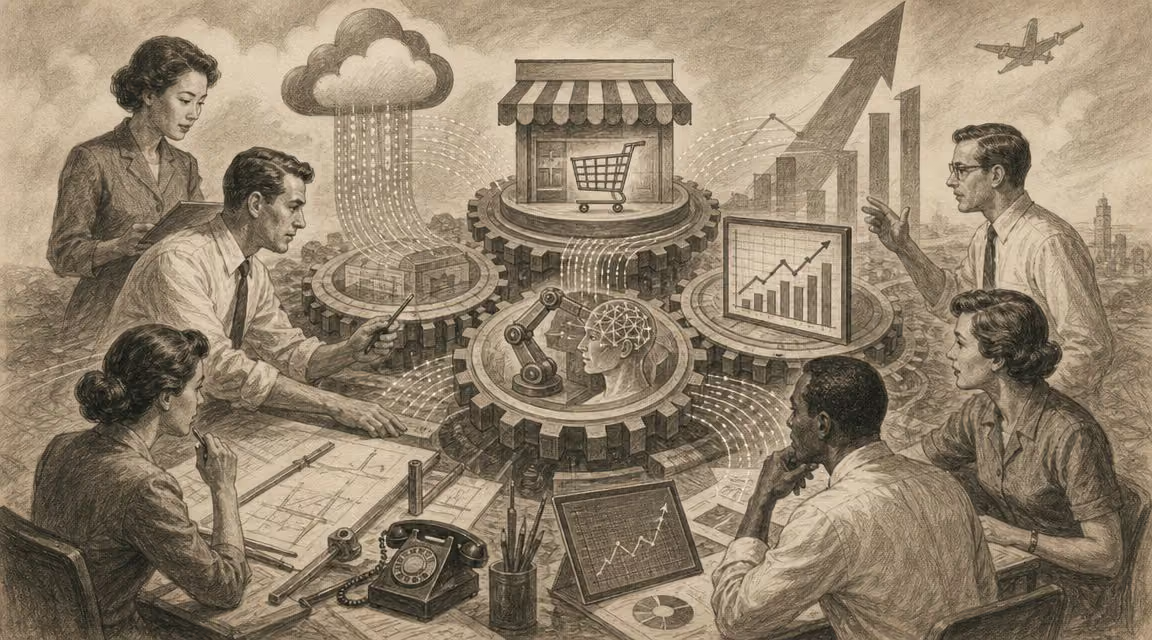
Your company already uses Gmail, shares files via Drive, coordinates meetings over Meet and comments on documents in real time. Even so, the operation still feels fragmented. Marketing works in one environment, sales in another, operations keeps different versions of the same file, and one person leaving the team raises uncomfortable questions about access, ownership of information and continuity.
Need help with this? Discover our digital marketing service.
That's where the question what a workspace is stops being basic. For an executive committee, it's not about defining a tool. It's about deciding whether the company will operate with a scattered set of apps or with a governed, scalable work system that's reasonably prepared for the Chilean digital context.
When a leader asks what a workspace is, they almost always get an incomplete answer. They're told about collaboration, shared documents and video calls. All of that is true, but insufficient. A well-designed workspace works more like a business operating system than like a simple suite.
An operating system isn't worth anything because of an isolated app. It's worth something because it manages resources, organizes processes and lets different functions coexist under common rules. In a company the same thing happens. The workspace connects people, files, calendars, conversations and decisions within a single logical environment.
Google's evolution illustrates this shift well. The product was born in 2006 as Google Apps for Your Domain, was renamed G Suite in 2016 and adopted the name Google Workspace in 2020, consolidating email, collaboration and storage into a single experience, as explained in this analysis on the evolution of Google Workspace. That name change wasn't cosmetic. It reflected a shift in logic.
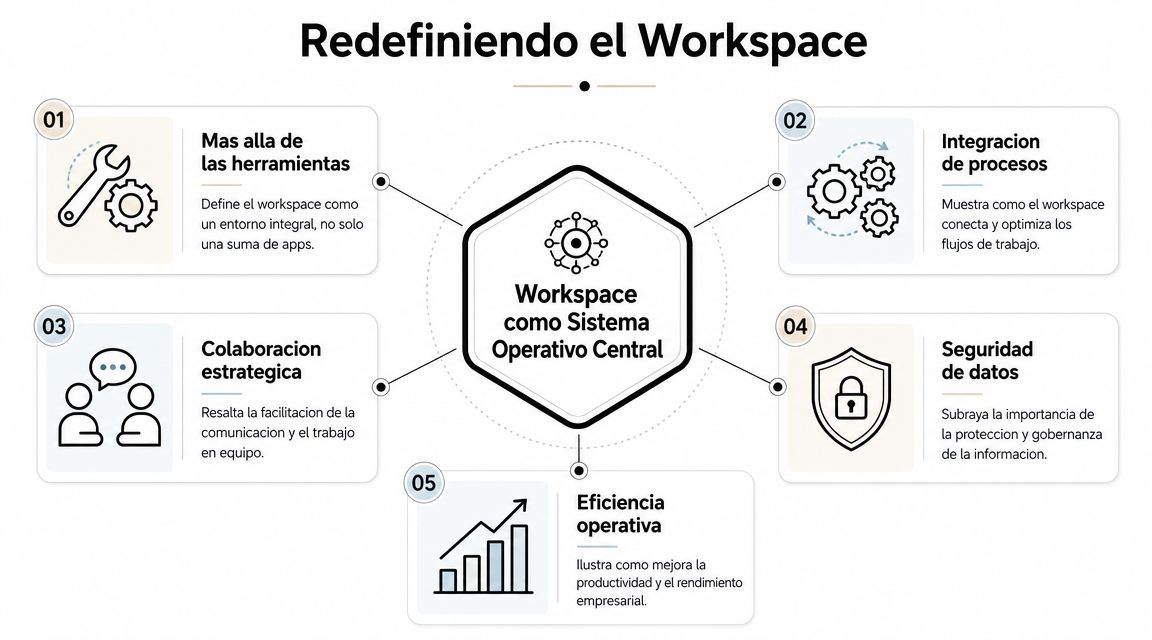
The practical difference is this:
| Approach | What happens |
|---|---|
| Many apps | Each area handles its work separately and coordination depends on individual habits |
| Integrated workspace | Work is organized around a common environment with shared rules, access and flows |
The first option may seem flexible. In reality, it shifts complexity to the day-to-day operation. The second doesn't eliminate all friction, but it makes it manageable.
Rule of thumb: if a company depends on specific people to know where the right information is, it doesn't yet have a strategic workspace.
For eCommerce and marketing teams, this approach matters because work no longer happens inside a single office or in a single schedule. Live collaboration, with simultaneous editing across several people, reduces review times and coordinates areas more fluidly, especially when content, campaigns and approvals advance in parallel.
In the Chilean market, that has a deeper executive reading. A workspace doesn't just speed up tasks. It also defines how information flows between Santiago, the regions and hybrid teams. When that environment is integrated, the company gains traceability. When it isn't, each area creates its own version of the business.
A digital company doesn't operate within a single workspace. It operates within several, though it doesn't always recognize them as such. The problem isn't having several layers. The problem appears when nobody decides how they connect.
The first layer is the physical workspace. Offices, meeting rooms, coworking spaces and any space where people coordinate work. It still matters because it defines culture, response speed and quality of conversation.
The second is the base digital workspace. That's where platforms like Google Workspace or Microsoft 365 come in. This layer holds email, storage, documents, meetings and calendar. It's the backbone where the organization stores context, not just files.
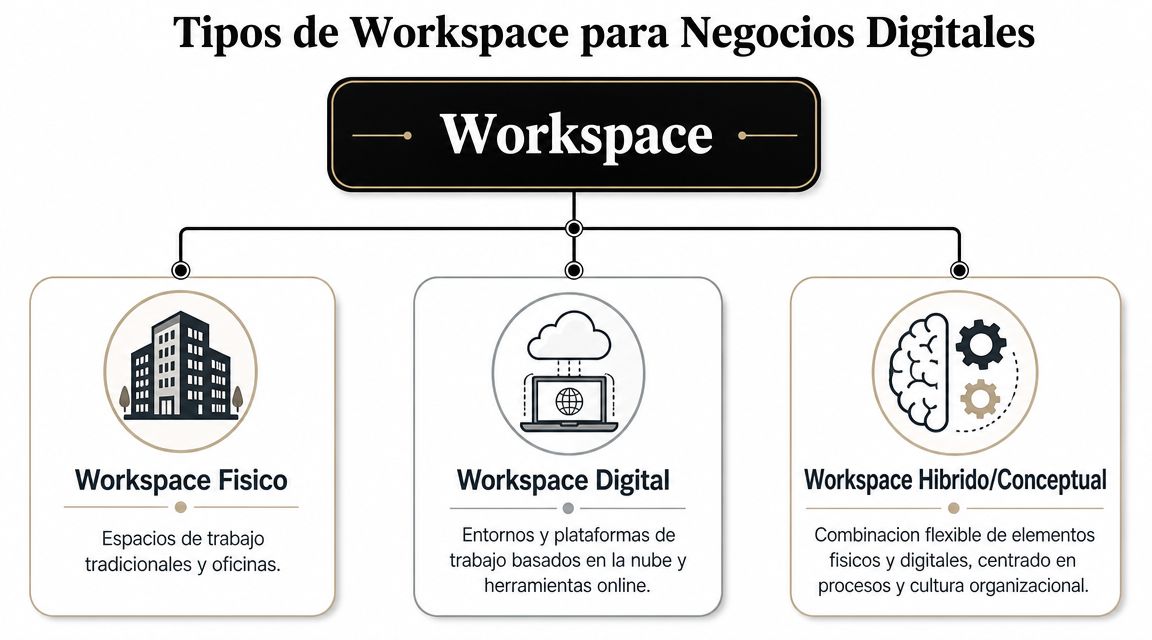
The third layer is the tool-specific workspace. These are specialized ecosystems like Slack, Asana or Figma. Each one solves a part of the operational flow in more depth. If you want to look at that pattern from conversational collaboration, it's worth reviewing this analysis on Slack.
A useful summary for the board looks like this:
Below, a visual reference helps explain how these layers intersect in practice.
Many companies believe they've already solved their digital operation because they contracted several platforms. In reality, they only added pieces. If the final file lives in one system, the conversation in another and the approval in a third, the team works with split context.
That especially affects marketing and eCommerce. A campaign doesn't fail only because of creativity or budget. It also fails when the brief changes in a document, the designer doesn't see it in time, sales uses an old version and nobody knows which file was valid.
A mature workspace doesn't replace all tools. It gives them hierarchy, context and rules of coexistence.
The executive question, then, isn't which platform to buy. It's which work architecture the company needs so those layers reinforce each other instead of competing.
Most mistakes don't originate in the tool. They originate in the structure. When an organization treats its workspace as one big shared folder, it confuses access with order. That scales poorly and exposes too much.
A Workspace can function as an administration center to manage teams, access and resources under a clear hierarchy of Workspace > Teams > Folders > Documents, according to Cincel's technical explanation of workspaces. That logic is more important than it seems.

When the company organizes teams by client, campaign or business unit, it doesn't just gain documentary order. It gains the ability to separate permissions, limit accidental exposure of information and maintain traceability over who accesses what.
That changes the conversation with management. The point is no longer "where to store files." The point is how to protect commercial, financial or customer information without slowing execution.
A good architecture also facilitates inevitable business moves. People join, change roles or leave. New service lines appear. Relevant accounts become more sensitive. If the structure is well designed, those changes don't force you to rebuild the system every time.
This criterion also helps explain why the debate between "Google Workspace or G Suite" is already behind us. Today what matters isn't the name of the suite, but the governance model it lets you build on top. If you want context on that evolution, this look at G Suite and its transition complements the point well.
Consider these signs of a healthy architecture:
The right structure reduces silent errors. The team stops depending on informal memory and starts operating with visible rules.
In strategic terms, workspace architecture is not an IT matter. It's an operational control decision.
The value of a workspace is best seen when it touches real processes. Not in a demo, but in a campaign that has a launch date, multiple owners and commercial pressure.
Think of an eCommerce store preparing the launch of a new category. The marketing team drafts the core message in a shared document. Design works on the creative pieces. Commercial reviews stock and pricing. Operations validates shipping times. Everyone needs the same context, but not necessarily the same level of access.

In a disorganized environment, each area works "well" separately and yet the launch goes out with friction. In an integrated workspace, the process looks more like this:
For those who lead this kind of operation, this perspective on digital marketing for eCommerce helps ground how coordination impacts commercial performance, not just internal execution.
Now change the scenario. An agency manages several accounts at the same time. Each client demands confidentiality, response speed and materials that are always available. If everything coexists in a flat space, the risk isn't just confusion. It's also improper exposure.
A per-client workspace architecture lets you separate conversations, documents, deliverables and approvals. The creative team can collaborate broadly internally, while account management keeps control over access and context.
That model doesn't slow the agency down. It makes it less vulnerable to chaos. And in marketing, speed without order rarely scales.
A good workspace reduces the less visible bottlenecks. Searching for the right file, validating the latest version and wondering who approves stop consuming executive energy.
In many companies, the discussion about workspaces is still tied to productivity. That conversation has already fallen short. In Chile, the topic must also be read through security, compliance and operational continuity.
General coverage usually answers which platform to use, but leaves out a more delicate question: which minimum controls a Chilean SMB or eCommerce needs before turning its workspace into the center of its work. That omission matters because the regulatory and digital-risk environment has become more demanding.
Chile created the National Cybersecurity Agency through Law 21,663, published in 2024, and the Government CSIRT has reported that phishing and credential theft remain recurring threats for organizations in the country, as summarized in this analysis on Google Workspace and its security angle in Chile.
That changes the strategic reading. If email, documents, meetings and permissions live on a single platform, that platform stops being convenience software. It becomes a critical asset.
The question isn't whether your team needs to collaborate better. It surely already does. The question is whether the company is willing to centralize information without a clear access and protection policy.
There are four controls a leader should demand from the start:
| Business risk | Reading from the workspace |
|---|---|
| Phishing | The environment should minimize the impact of a compromised account |
| Credential theft | Access can't depend on a single barrier |
| Permission disorder | Accidental exposure is also a security problem |
| Staff departure | Continuity requires institutional control over information |
Centralizing work without governance doesn't modernize the company. It just concentrates the risk.
For a Chilean board, that's the real implication. Adopting a workspace isn't just digitizing the operation. It's defining the practical perimeter of corporate security.
The mature conversation about what a workspace is ends up far from the idea of "working faster." The relevant return appears when the environment improves the quality of control and the speed of adaptation.
The first is operational scalability. When the environment is centralized in the cloud and organized with criteria, adding new people, teams or units is less chaotic. In Google Workspace, the business plans offer between 30 GB and 5 TB per user, with the possibility of additional space in Enterprise environments, and they also allow real-time collaboration from any device, according to Google Workspace's official description. For distributed companies, that reduces dependence on local infrastructure and organizes growth.
The second advantage is the centralization of business intelligence. Not because the workspace replaces analytical tools, but because it creates a more consistent operational source. Briefs, decisions, files and calendars stop living on disconnected islands.
The third is business continuity. If critical work lives in an environment accessible in the cloud, the company depends less on individual devices, local drives or informal practices.
An executive committee usually measures technology by features. It would do better to measure it by three capabilities:
That's the conceptual leap. A well-governed workspace doesn't just improve productivity. It improves resilience.
Implementing a workspace doesn't begin by migrating files. It begins by making design decisions. When those decisions are postponed, the company just moves its current disorder to a more modern platform.

First, audit where critical information lives today. Not just files. Also approvals, calendars, versions and personal dependencies.
Then, define business objectives. Some companies seek to organize a hybrid operation. Others want to reduce friction between marketing, sales and operations. Others need more control over access.
Before moving a single document, design the architecture. Teams, permissions, ownership of information and access criteria should be clear from the start.
Then, make three final decisions:
"Successful adoption doesn't depend on how many features the platform has, but on how much clarity the company has about its way of operating."
If your company needs to turn its digital operation into a more organized, secure and scalable system, Bigbuda can help you evaluate that leap with strategic judgment. Not from the trend of tools, but from real growth, governance and digital performance for businesses in Chile.
A well-designed workspace works more like a business operating system than a simple suite. It manages resources, organises processes and lets different functions coexist under common rules, connecting people, files, calendars, conversations and decisions within a single logical environment. If finding the right information depends on specific people, you do not yet have one.
Three layers that coexist. The physical workspace organises presence, critical meetings and cultural coordination. The base digital workspace, such as Google Workspace or Microsoft 365, preserves the company's operational memory. The tool-specific workspace, such as Slack, Asana or Figma, speeds up particular functions. The problem appears when nobody decides how they connect.
Most mistakes originate in the structure, not the platform. Treating a workspace as one big shared folder confuses access with order, scales poorly and exposes too much. A clear hierarchy of Workspace, Teams, Folders and Documents lets you separate permissions, limit accidental exposure and maintain traceability over who accesses what.
Four. Reinforced authentication, because simple password access does not suffice when credential theft is a recurring threat. Permission management, since not all areas should see or edit the same things. Traceability over who accessed, shared or modified sensitive assets. And a continuity criterion, so the business keeps operating if a key person leaves.
Because the regulatory and digital-risk environment has become more demanding. Chile created the National Cybersecurity Agency through Law 21,663, published in 2024, and the Government CSIRT has reported that phishing and credential theft remain recurring threats for organisations in the country. Centralising work without governance concentrates risk rather than modernising the company.
Not by migrating files. Start by auditing where critical information lives today, including approvals, calendars, versions and personal dependencies, then define business objectives. Design the architecture before moving a single document, select tools according to that architecture, train on shared processes, and measure and adjust. A workspace is governed, not installed.